
Orchestration
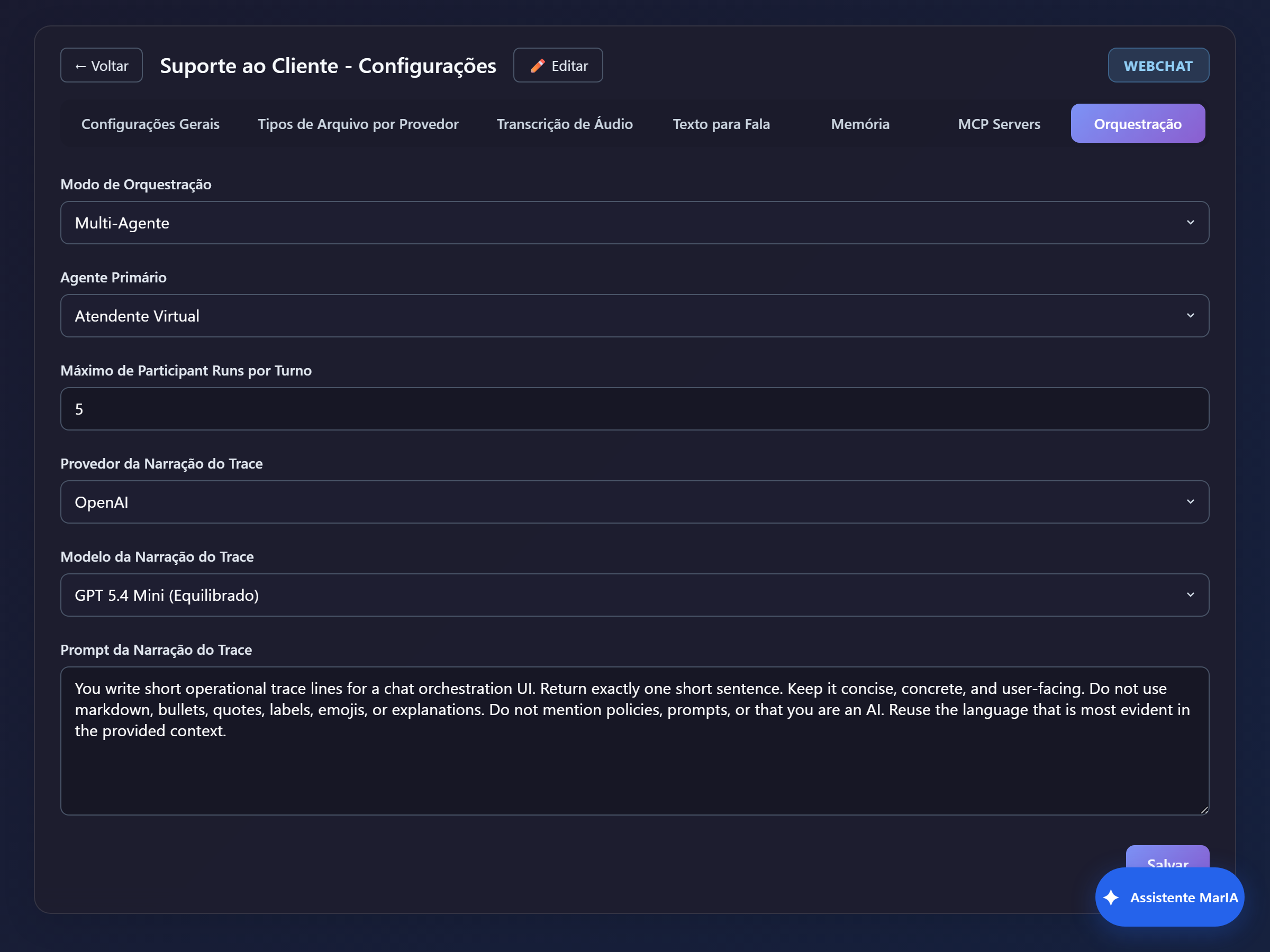
When a solution has more than one agent, orchestration decides who answers. The setting lives in Settings → Orchestration.
The two modes
Section titled “The two modes”| Mode | Behaviour |
|---|---|
| Single Agent | Only the primary agent answers. Simple, predictable and cheaper. |
| Multi-Agent | MarIA picks, on every turn, one or more agents based on their descriptions. |
Always start with Single Agent. Only move to Multi-Agent when you genuinely have agents with distinct specialities — support and billing, for example.
Primary agent
Section titled “Primary agent”The agent that answers by default and coordinates the others. Pick the most general one: it is the one that takes the message when no other is clearly a better fit.
Max Participant Runs per Turn
Section titled “Max Participant Runs per Turn”Limits how many agents can be engaged on the same message. A high number makes every turn more expensive and rarely improves the answer — watch the effect on the consumption dashboard.
Trace narration
Section titled “Trace narration”Provider, Model and Trace Narration Prompt define how MarIA describes, in plain language, what happened during the turn — which agents took part and which tools ran. It is the text that shows up in the Activity block inside the chat.
Use an economical model here: narration is a reading aid, not the answer to the user.
What actually drives the choice
Section titled “What actually drives the choice”Not the orchestration settings: the description of each agent. MarIA compares the message with the descriptions and picks. So:
- write short, concrete, mutually exclusive descriptions;
- avoid generic descriptions such as “answers customer questions” on more than one agent;
- if an agent is never picked, the problem is almost always its description — or it is inactive.