
Memory
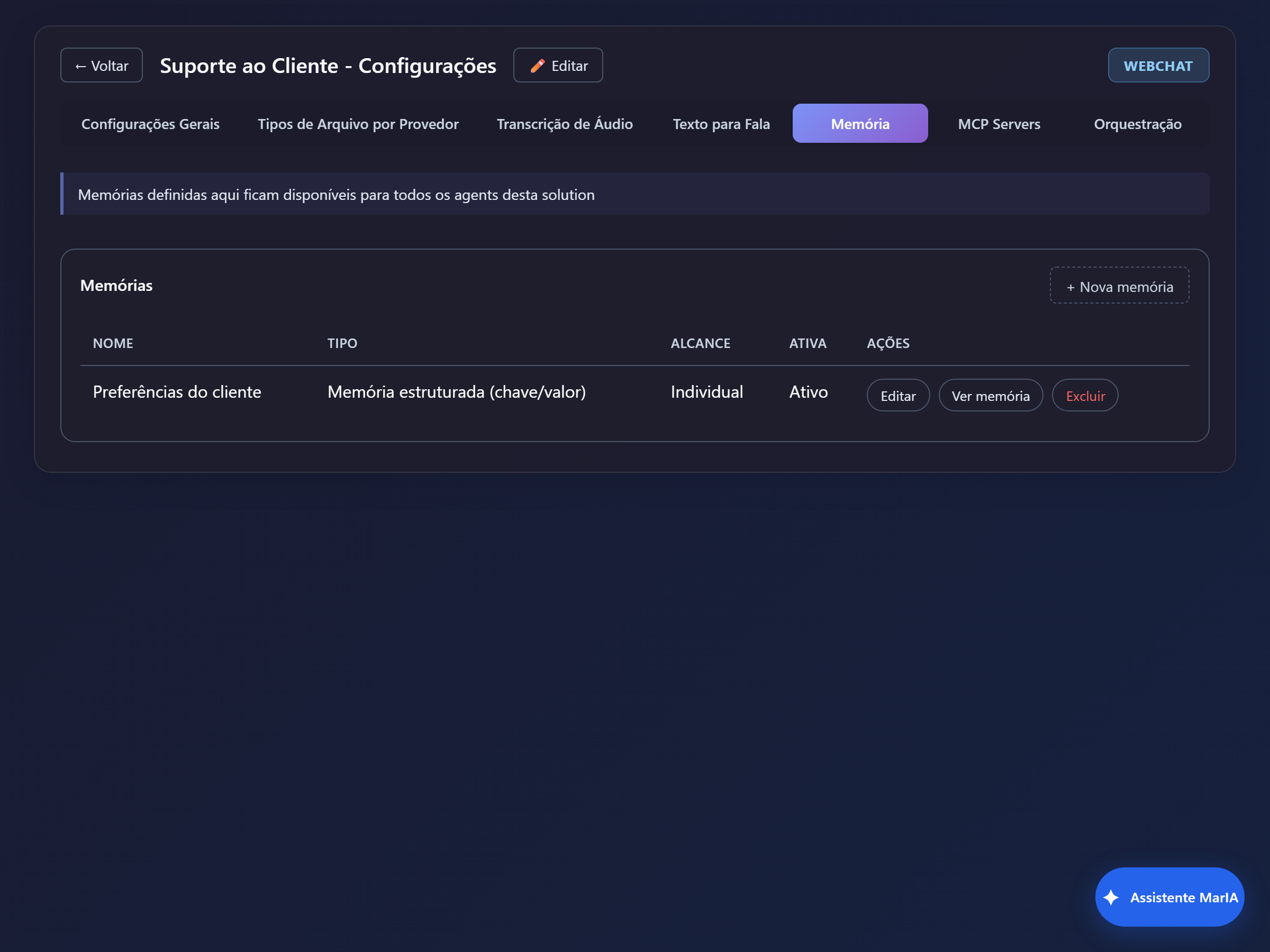
Memory is what the agent keeps from one conversation to the next: a customer’s preference, a detail already given, knowledge built up over time. Without memory, every conversation starts from scratch.
Where memory is created
Section titled “Where memory is created”You can create memories at three levels, and an agent sees every memory that reaches its level:
| Level | Where | Who sees it |
|---|---|---|
| Folder | Solution folder → Memory tab | Every solution and agent in the folder |
| Solution | Settings → Memory | Every agent in that solution |
| Agent | Agent editor → Memory tab | That agent only |
Inheritance flows downwards: a memory created on the folder shows up in its solutions marked as Inherited. That is how several solutions share the same knowledge without duplicating it.
The two types
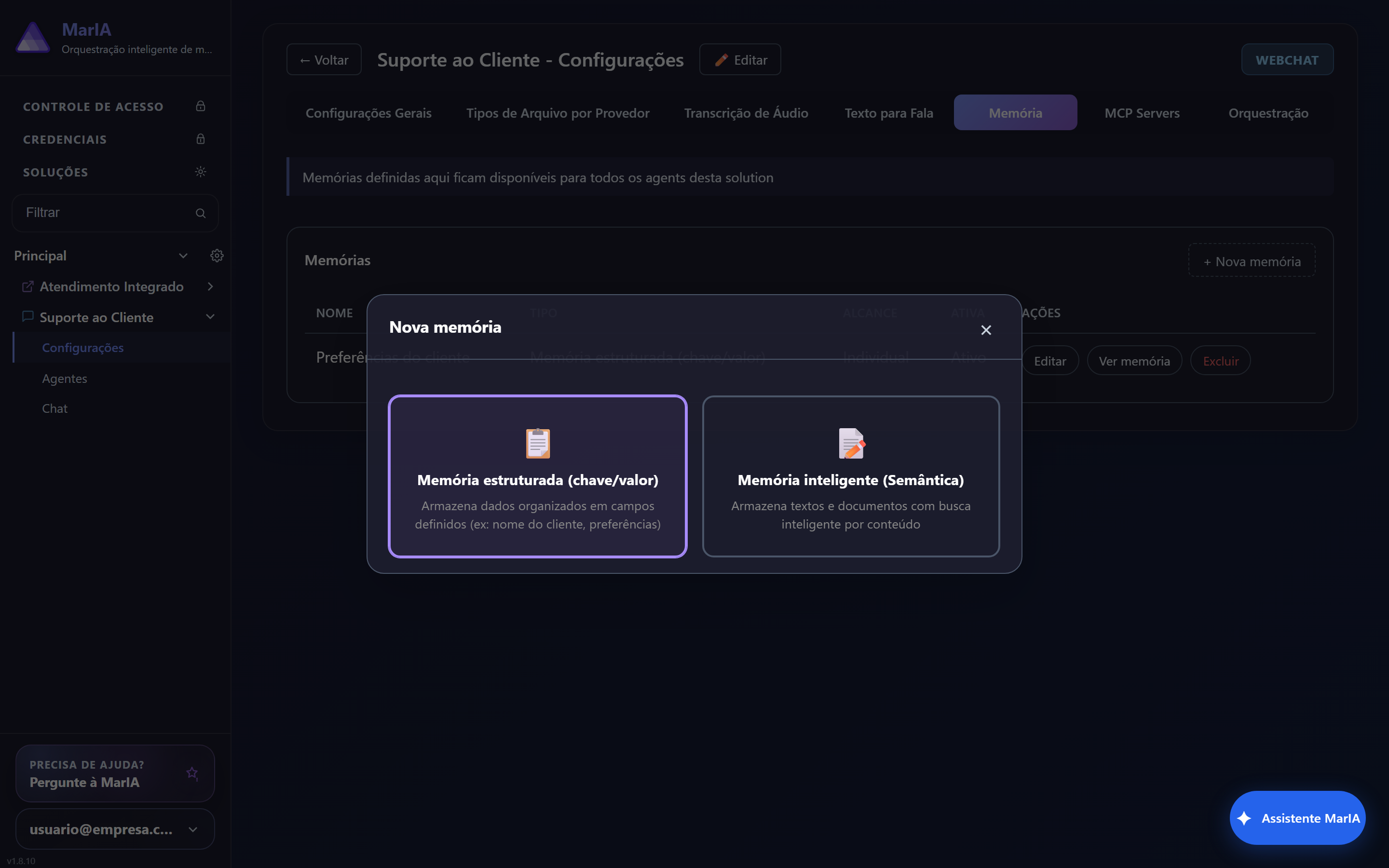
Section titled “The two types”When you click + New memory, the first step is choosing the type.
| Type | What it stores | Use when |
|---|---|---|
| Structured memory (key/value) | Data organised into defined fields | Customer name, preferences, flags, registration data |
| Smart memory (Semantic) | Text and documents, searchable by content | Free-form notes, case history, accumulated knowledge |
When in doubt, start with the structured one: it is predictable and easy to audit. The semantic one shines when the content is running text and you do not know in advance which fields will exist.
The fields
Section titled “The fields”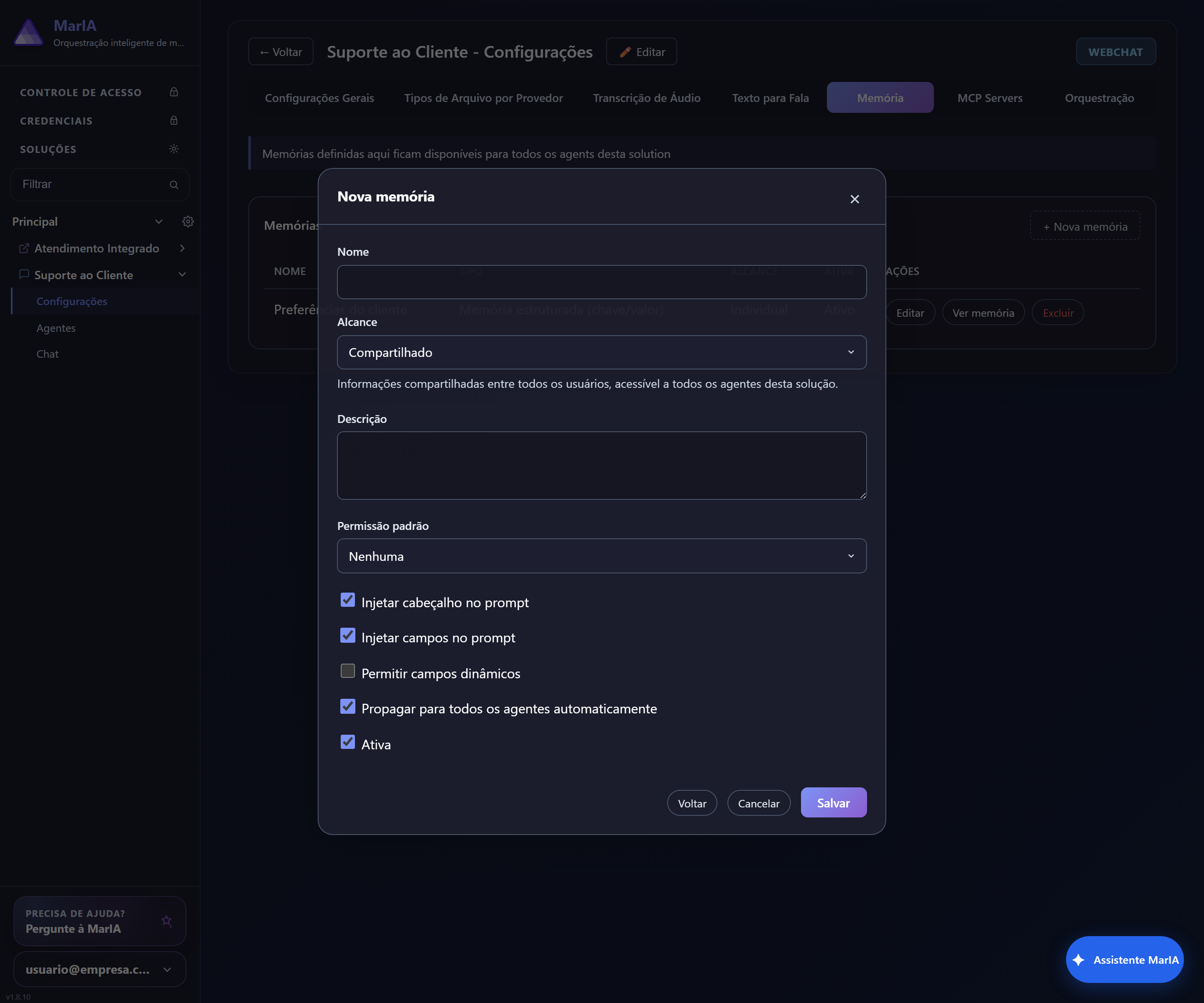
| Field | What it does |
|---|---|
| Name | How the memory is identified |
| Scope | Shared, Individual or Per conversation — see below |
| Description | Tells the agent what to keep here. The field that most affects quality |
| Default permission | None, Read only, Write only or Read and write |
| Inject header into prompt | Puts the memory header into the agent’s context |
| Inject fields into prompt | Puts the stored values into the context |
| Allow dynamic fields | Lets the agent create fields you did not foresee |
| Propagate to all agents automatically | Links the memory to every agent without doing it one by one |
| Active | Uncheck to disable without deleting |
| Scope | Visibility |
|---|---|
| Shared | Information common to all users, available to every agent in the solution |
| Individual | Separated per person: each user has their own |
| Per conversation | Only inside that conversation |
Choose Individual for personal data — preferences, address, purchase history. Use Shared for business knowledge, not for people’s data.
Permission
Section titled “Permission”Default permission defines what the agent may do with the memory. Read only is the safe choice when you curate the content and the agent just needs to look it up. Read and write lets the agent learn on its own — and demands a well-written description, or it will store things it should not.
Linking to the agent
Section titled “Linking to the agent”If you did not tick Propagate to all agents automatically, open the agent editor, go to the Memory tab and link the memory you want.
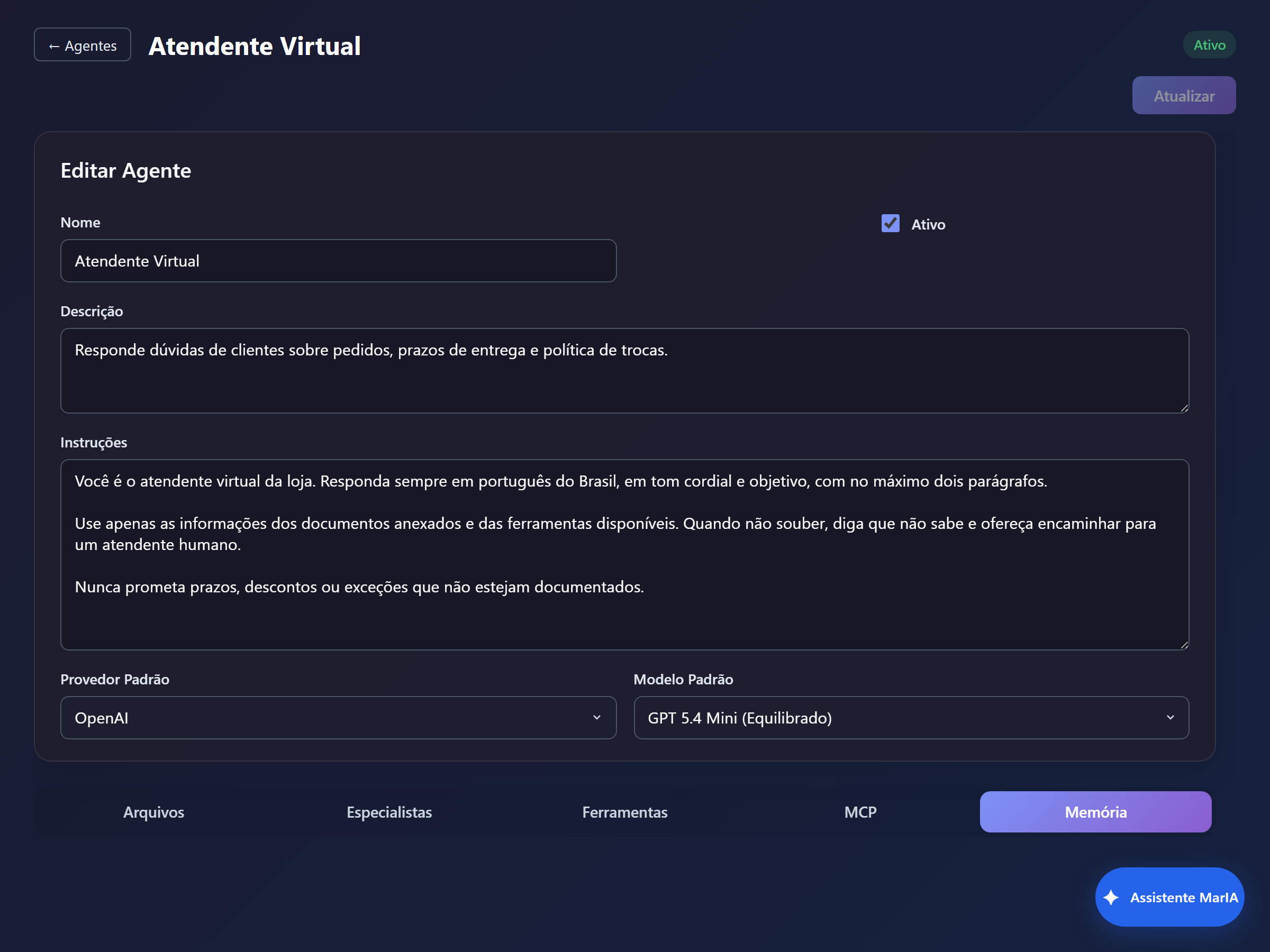
The tab shows where each memory comes from — Inherited when it comes from the folder or the solution — along with its type, scope and whether it is active.
When the agent seems to have forgotten
Section titled “When the agent seems to have forgotten”| Symptom | Likely cause |
|---|---|
| The agent remembers nothing | The memory is not linked to the agent, or it is inactive |
| It reads but never writes | Permission set to Read only |
| It stores the wrong thing | Vague description; state explicitly what should be kept |
| One customer sees another’s data | Shared scope where it should be Individual |