
Built-in tools
Besides the External API, MarIA ships ready-made tools that need no system on the other end.
Web Search
Section titled “Web Search”Lets the agent look up public, current information, with the sources cited.
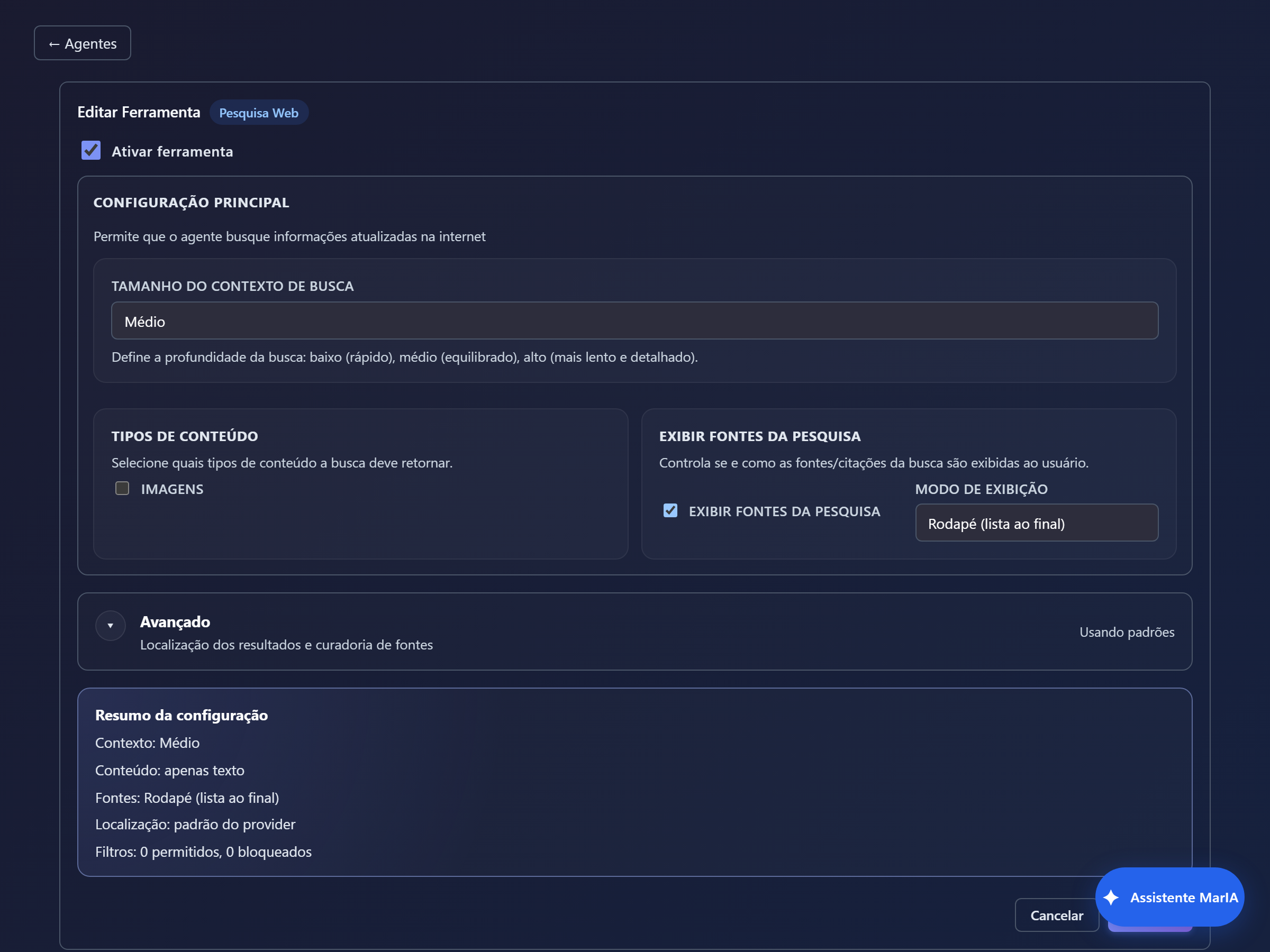
| Field | What it does |
|---|---|
| Search context size | Low (fast), Medium (balanced) or High (slower and more detailed) |
| Content types | Whether the search should also return Images |
| Show search sources | Turns source citation on or off |
| Display mode | Inline (links in the text) or Footer (list at the end) |
| Advanced | Result location and source curation, with allowed and blocked site lists |
This tool has no name or description of its own: it is native to the provider.
Image generation
Section titled “Image generation”Creates images from the conversation. Useful for illustration and prototyping; avoid it in flows where the person might mistake a generated image for a real photo of the product.
| Type | Use |
|---|---|
| Generic Card | Structured content rendered inside the chat |
| HTML Card | A block of your own HTML, for specific layouts |
| External Cards | Rendering outside the chat window, in a layout or modal |
Cards keep the answer readable when there is a lot of data — a list of orders works far better as a card than as running text.
Collects structured data during the conversation, with fields you define. It is the right way to ask for several pieces of information at once, instead of extracting them one by one mid-dialogue.
Shows points on a map and lets people interact with them — nearby stores, pickup points, delivery addresses.
Sub Agent
Section titled “Sub Agent”Delegates part of the work to another agent in the solution, which returns the result to the main agent. It differs from a specialist by reusing a full agent, with its own tools and files.
Media and file tools
Section titled “Media and file tools”| Tool | What it does |
|---|---|
| Send Text | Sends a ready-made piece of text, with @@name@@ placeholders for dynamic values |
| Send File | Delivers a file to the person inside the conversation |
| Resolve File Content | Reads the content of a file sent in the conversation for the agent to use |
Send Text is useful for messages that must always come out the same — a legal notice, an order summary, return instructions — without relying on the model to rewrite the text each time.
Configuration summary
Section titled “Configuration summary”Almost every form carries a Configuration summary at the bottom with what will be saved. It is the quickest way to check before saving.