
Integration-mode solution
A solution in Integration mode has no chat page of its own. Another system — a website, an app, a service platform — sends the messages and receives the agent’s answers through a webhook.
The mode is chosen when you create the solution and changes three things:
- the solution gains an Integration tab in the settings;
- the Chat item becomes Chat (Integration), read-only;
- while no integration exists, the agents screen warns you and offers the Open integration settings shortcut.
Creating the integration
Section titled “Creating the integration”In Settings → Integration, click New integration.
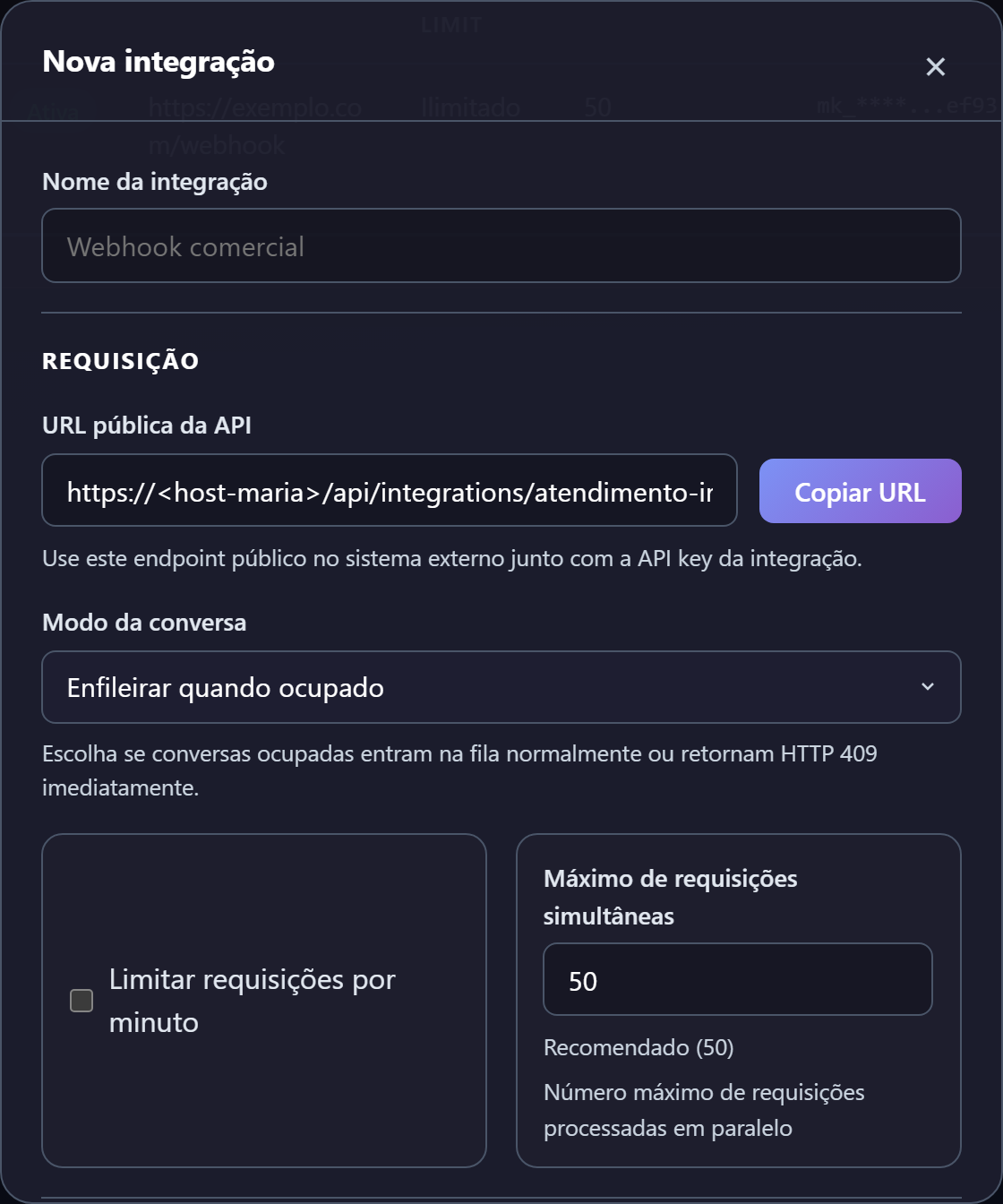
| Field | What to enter |
|---|---|
| Integration name | A label for the connected system |
| Public API URL | Filled in by MarIA, with a Copy URL button. It is the address the other system will call |
| Conversation mode | Queue when busy (recommended) or Reject when busy, which returns HTTP 409 straight away |
| Limit requests per minute | Optional; protects against spikes |
| Max concurrent requests | 50 recommended |
| Webhook URL | Where MarIA posts the result of each run |
A solution can have more than one integration, each with its own key, webhook and limits — handy when two different systems consume the same solution.
The key appears only once
Section titled “The key appears only once”On creation, MarIA shows the API key (mk_…) and the HMAC Webhook Secret (whsec_…). Both
are displayed a single time.
| Secret | What it is for |
|---|---|
| API key | The external system sends it in the X-API-Key header when calling MarIA |
| HMAC Webhook Secret | Lets your system check the X-Hub-Signature-256 header and be sure the webhook really came from MarIA |
Copy and store both before closing the window. If you lose them, use Regenerate key — which invalidates the previous one and requires updating the connected system.
The integrations list
Section titled “The integrations list”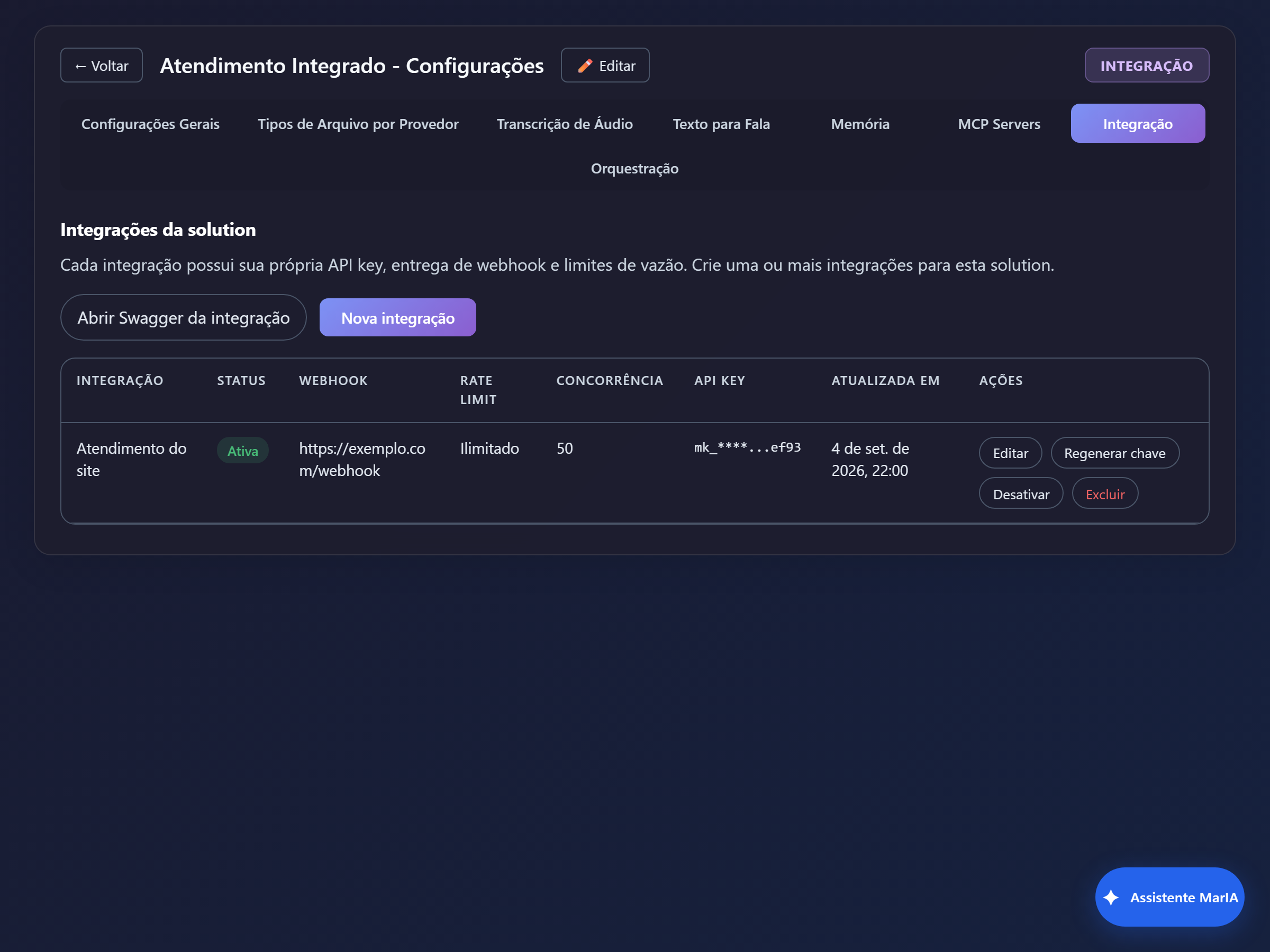
The table shows Integration, Status, Webhook, Rate limit, Concurrency, API key (masked) and Updated at, with the Edit, Regenerate key, Deactivate and Delete actions.
The Open integration Swagger link shows the API contract for whoever builds the other side.
Following the conversations
Section titled “Following the conversations”The Chat (Integration) item in the sidebar shows, read-only, the conversations created by the connected system. You do not write there — it is the window into what end users asked and what the agent answered.
When messages do not get through
Section titled “When messages do not get through”| Symptom | Likely cause |
|---|---|
The external system gets 401 | Wrong API key, or regenerated and not updated on the other side |
The external system gets 409 | Conversation mode set to Reject when busy, with a conversation in progress |
| The message is accepted but nothing comes back | Wrong webhook URL, or unreachable from MarIA |
| It arrives, but the agent answers nothing | The solution has no active agent — see Agents |