Chat features
This page covers what shows up in the conversation beyond text. For the basics — opening the chat, writing, attaching — see Using the chat.
The Activity block
Section titled “The Activity block”Above every answer there is an Activity block with a counter. Expand it and you see what the agent did on that turn: which tools it called, which agents took part, what it looked up.
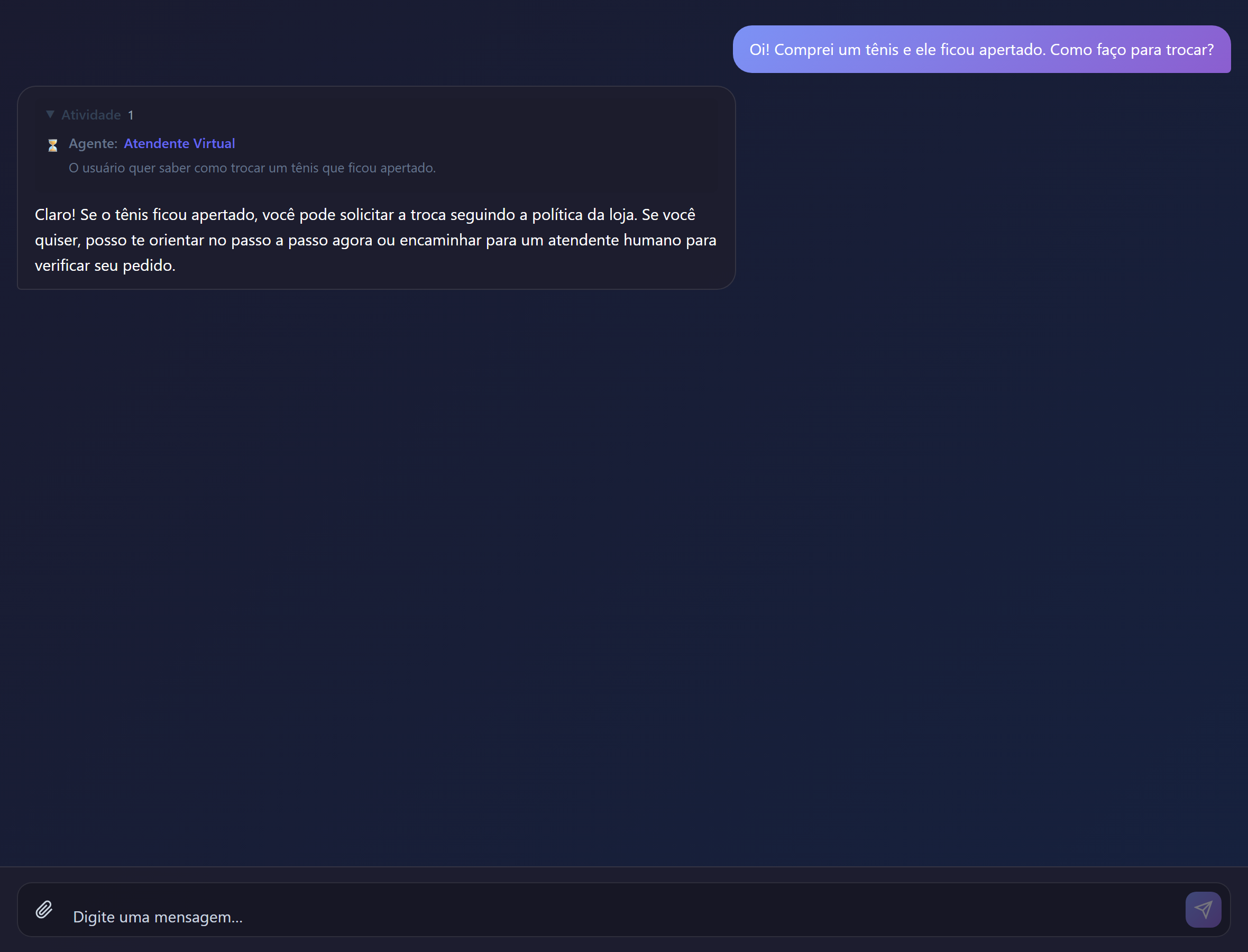
It is the most useful diagnostic tool on the platform. When an answer looks odd, the Activity block answers three questions at once:
| Question | Where the answer shows |
|---|---|
| Was the tool called? | If it does not appear, the problem is the tool description |
| Which agent answered? | On multi-agent solutions, shows whether the pick was the expected one |
| Where did the information come from? | Distinguishes document, tool and model knowledge |
The block’s text is produced by trace narration, configured in Orchestration.
Answers with components
Section titled “Answers with components”Depending on the agent’s tools, an answer may come with:
| Component | How it behaves |
|---|---|
| Cards | Formatted content inside the conversation; some open outside the chat window |
| Forms | You fill them in and submit without leaving the conversation |
| Maps | Clickable points, with details on selection |
| Citations | Links to the sources consulted, inline or listed at the end |
| Images | Generated on the spot, or returned by a tool |
When the solution has audio enabled in Settings, two features appear:
- speaking instead of typing, with automatic transcription;
- listening to the answer, on demand or auto-played, according to the configured mode.
Organising conversations
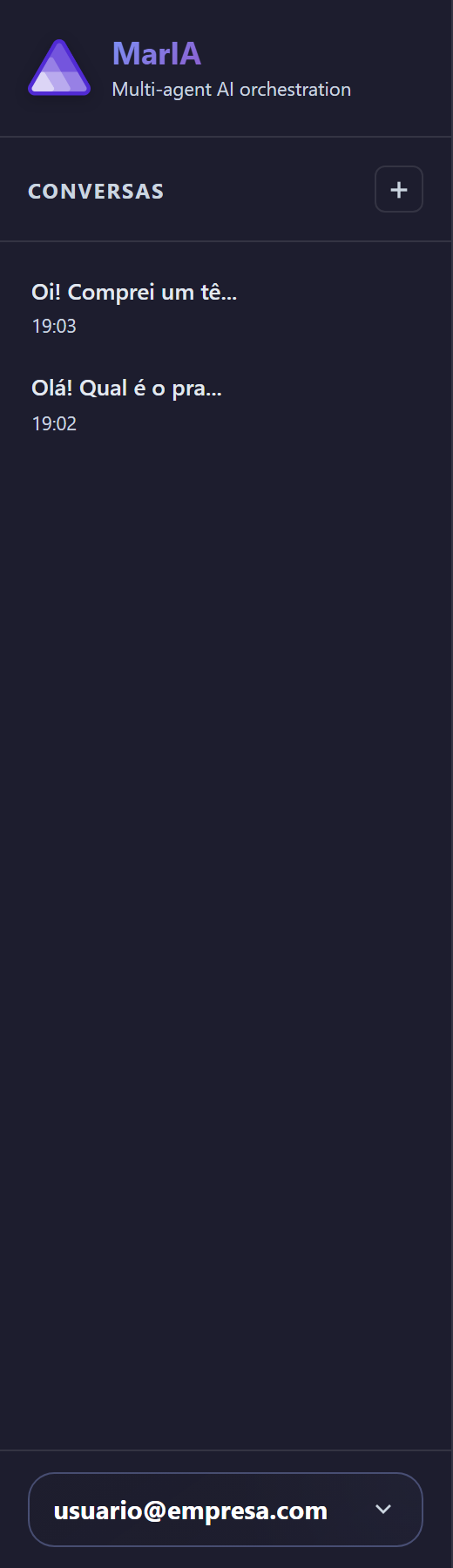
Section titled “Organising conversations”The chat’s side panel lists your conversations.
| Action | Where |
|---|---|
| + New Chat | At the top of the panel; starts a clean conversation |
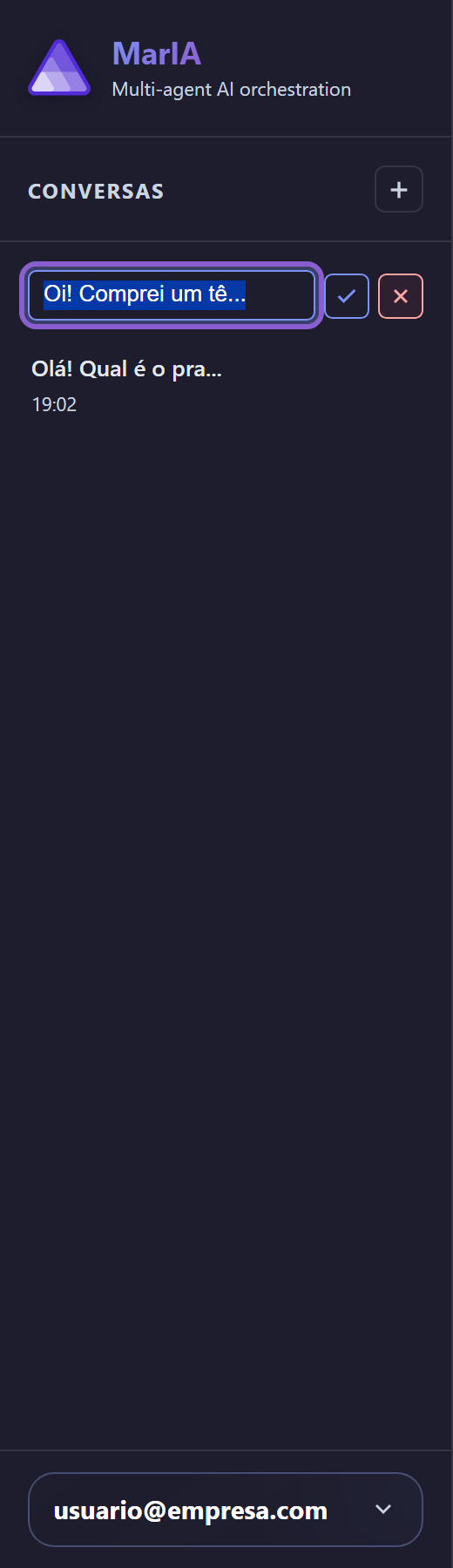
| Rename conversation | The pencil icon next to the title |
| Go back to a conversation | By clicking it in the list |
Rename the conversations you intend to return to: by default the title is the beginning of the first message, which gets confusing after a few of them.